Top 5 Automation Tools That Boost Your Work Online
Top 5 automation tools that boost your work online in 2026: Zapier, Make, n8n, Power Automate, and Motion, with real pricing and use cases.

Talal Emran
Web Developer & Designer
Published
9 min read

The average knowledge worker still spends hours a week on tasks a workflow tool could handle in the background — copying data between apps, manually scheduling follow-ups, rebuilding the same report every month. The tools that fix this have matured fast in the last two years, and picking the wrong one is an expensive mistake: teams routinely outgrow a starter plan within six months of meaningful automation, and switching platforms later means rebuilding every workflow from scratch.
This guide breaks down the five automation tools actually worth using in 2026, what each one really costs once you account for its specific pricing model, and which one fits your situation rather than which one has the loudest marketing.
How We Evaluated These Tools
Every tool here had to clear three bars: current, verifiable 2026 pricing rather than a stale number from an old comparison post, a genuinely distinct use case rather than a near-duplicate of another entry on the list, and evidence it solves a real bottleneck rather than adding a new tool to learn for its own sake. Pricing models differ so much between these platforms that comparing sticker prices alone is close to meaningless — we focus on cost per unit of actual work instead.
The Five Tools at a Glance
| Tool | Best For | Entry Price | Pricing Unit |
|---|---|---|---|
| Zapier | Non-technical teams, broadest app coverage | $19.99/month | Per task (each action) |
| Make | SMBs needing visual, branching logic | $9/month | Per operation |
| n8n | Developers, self-hosted, AI agent workflows | Free (self-hosted) or $20/month | Per workflow execution |
| Power Automate | Microsoft 365 shops | Often $0 (included) or $15/user/month | Per user, or included with M365 |
| Motion | Individuals drowning in tasks and meetings | $19/month | Per seat |
1. Zapier: The Safe Default for Non-Technical Teams
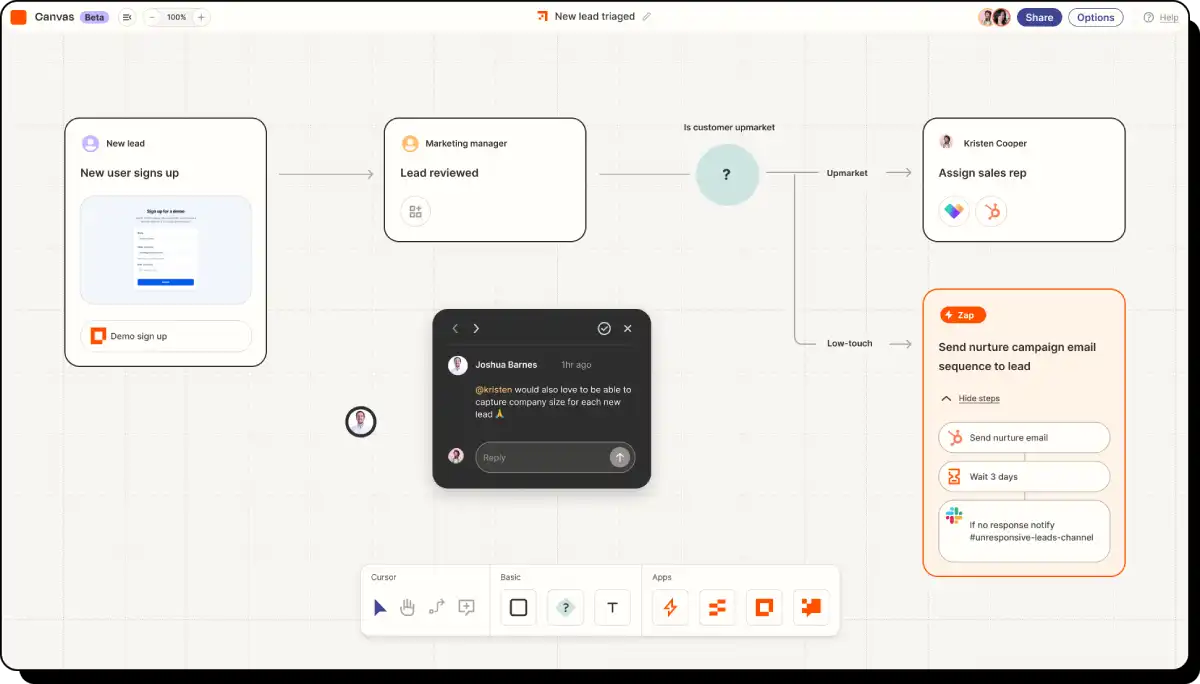
Zapier remains the fastest path from zero to a working automation for anyone who isn’t a developer. Its no-code, point-and-click interface connects more apps than any competitor — over 7,000 — which makes it the safe default when you’re not yet sure which specific tools you’ll need to connect.
In 2026, Zapier expanded well past simple if-this-then-that automations. Zapier Agents now run autonomous AI systems that execute tasks across its app catalog without human intervention, and an AI Copilot can build entire Zaps from a plain-language description instead of manual configuration.
Best for: solo founders and small teams who want automation working today without writing a line of code, and who value integration breadth over cost efficiency.
The catch is the pricing model. Zapier charges per task — every single action inside a workflow counts as one — which makes costs predictable for simple, low-volume automations but expensive fast once you’re running multi-step workflows at real volume. Most teams outgrow their starter plan within six months of meaningful use, so budget for that upgrade path rather than assuming the entry price holds.
2. Make: The Best Price-to-Power Ratio for Visual Workflows
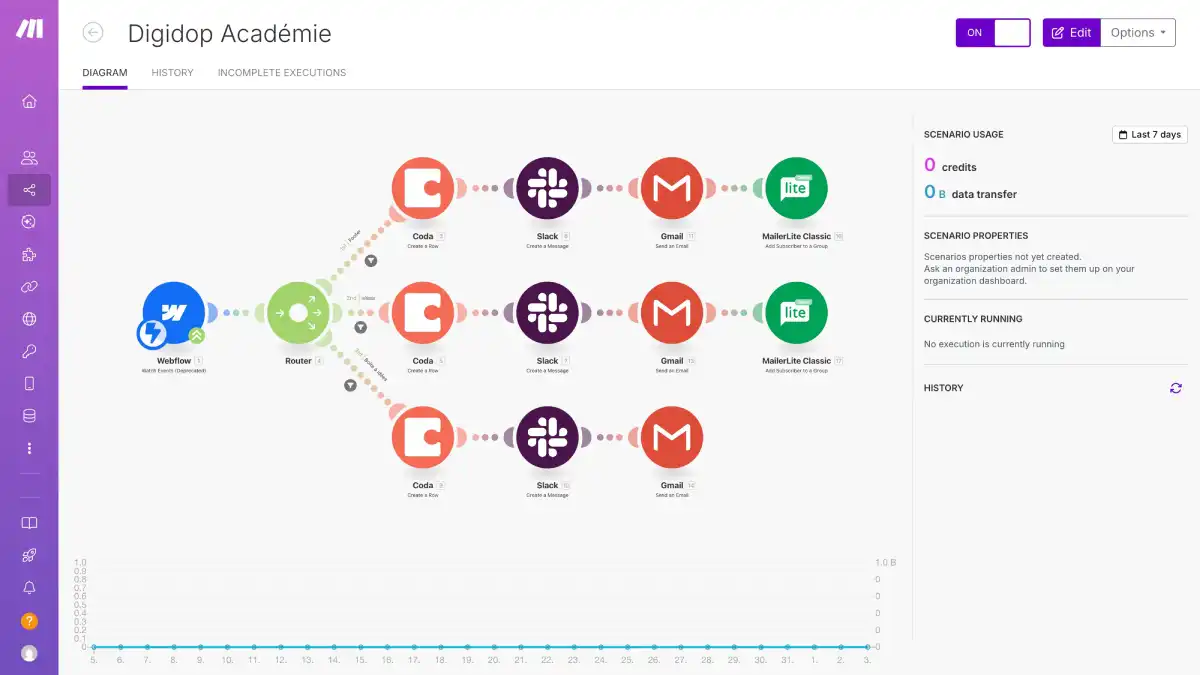
Make (formerly Integromat) occupies the middle ground between Zapier’s simplicity and n8n’s technical depth. Its visual scenario builder shows data flow clearly on a canvas, which makes debugging a complex, branching workflow noticeably easier than untangling a similar setup in Zapier’s linear step format.
The pricing difference at scale is significant. Make’s entry tier runs $9/month for 10,000 operations, compared to Zapier’s $19.99–$29.99/month for 750 tasks — a 25–30x difference in cost-per-operation once you’re running any real volume. Make also includes built-in data routing, filtering, JSON manipulation, and date formatting on all paid tiers, features that often require extra steps (and extra cost) to replicate in Zapier.
Best for: SMBs that have outgrown Zapier’s simplicity or its pricing, and need branching logic and data transformation without hiring a developer to build it.
The trade-off is integration count: Make covers roughly 1,500+ apps versus Zapier’s 7,000+, so it’s worth confirming your specific tools are supported before switching over.
3. n8n: The Developer’s Choice, Self-Hosted and AI-Native
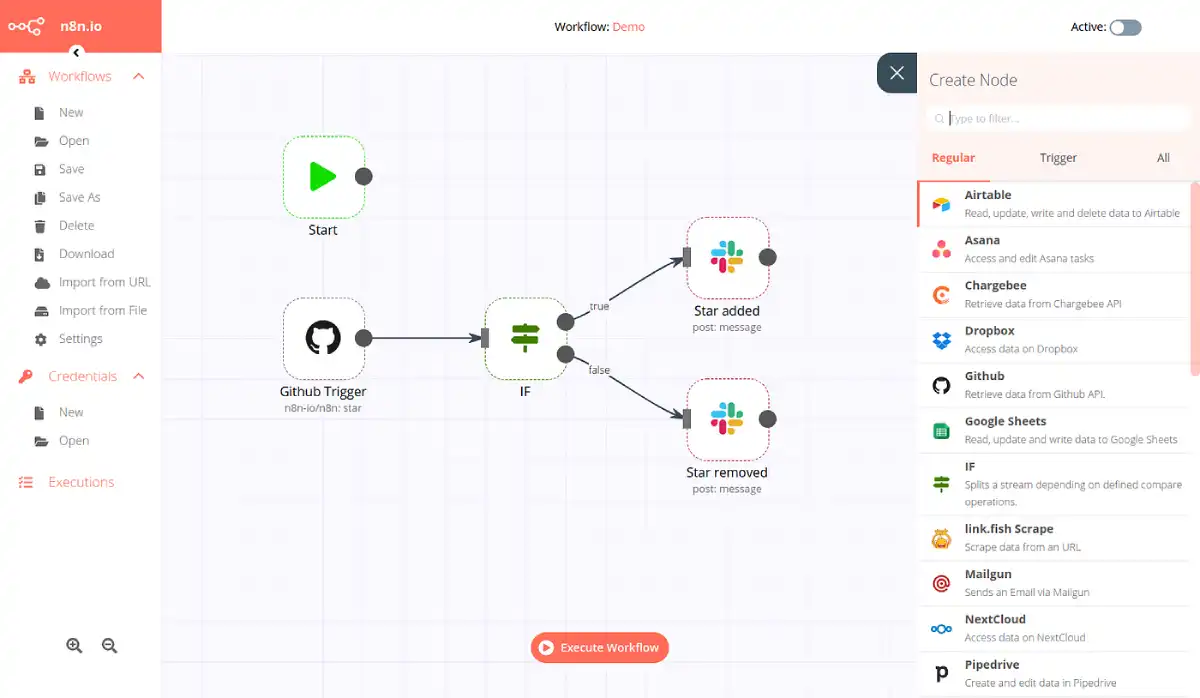
n8n is the only tool on this list that can run entirely on your own infrastructure, which matters enormously for regulated industries — healthcare, finance, anything where compliance requires data to never leave your servers. Self-hosted n8n costs nothing per execution; you’re only paying for the server it runs on, which can cut costs 80–90% compared to per-task platforms at high volume.
“n8n’s valuation reportedly doubled to $5.2 billion in May 2026 following a strategic investment from SAP” — a signal of how much enterprise demand exists for a self-hostable, developer-friendly automation platform
n8n ships a dedicated AI Agent node with native LangChain integration, letting you build tool-using, multi-step AI agents directly inside a workflow rather than bolting AI on as a separate product — currently the clearest technical differentiator between n8n and both Zapier and Make.
Best for: developers, technical teams, and any organization with data-residency or compliance requirements that rule out a pure SaaS tool.
The honest trade-off is the learning curve. n8n’s node-based canvas and JSON data handling require real technical comfort — this isn’t the tool for a non-technical team member to pick up in an afternoon the way Zapier is.
4. Power Automate: The Right Choice If You’re Already Paying for Microsoft 365
If your organization already runs on Microsoft 365, Power Automate is frequently the automation tool you’re already paying for and not using. Standard-connector flows — approvals, notifications, list-to-list sync, scheduled reminders — are included with a qualifying M365 plan at no extra cost, covering a genuinely large share of common business automation needs.
Best for: Microsoft-centric organizations automating internal processes that stay within the Microsoft ecosystem.

The costs appear the moment a flow needs to reach outside that ecosystem. Premium connectors — Salesforce, SAP, ServiceNow, SQL Server — require the Premium license at $15/user/month, and desktop RPA or AI Builder credits sit on top of that as separate add-ons. There’s also a real ceiling most teams don’t discover until they hit it: standard-connector flows carry a daily action allowance, and a chatty flow with per-item loops or frequent polling can get throttled rather than simply billed for the overage. For anything reaching outside Microsoft’s own apps, Zapier or Make are usually a better fit.
5. Motion: AI Scheduling for Individuals Drowning in Tasks
The first four tools automate workflows between apps. Motion automates something more personal: your actual calendar. You describe a task — “write Q1 report, 3 hours, due Friday” — and Motion finds the optimal time slots across your week, splitting the work across multiple sessions if needed, and automatically reshuffles everything the moment a new meeting gets added.
Best for: deadline-driven professionals and small teams juggling 15 or more tasks and meetings a day, who want the AI to fully own the scheduling decision rather than just suggest changes.
At $19–$49/month depending on plan and billing cycle, Motion is meaningfully pricier than alternatives like Reclaim ($8–$18/month) that offer gentler, suggestion-based scheduling instead of full automation. That price difference is the actual decision point: if you want a tool that blocks time and lets you stay in control, a cheaper competitor covers that. Motion earns its premium specifically for people who want to stop making scheduling decisions altogether.
How to Choose Between These Five
- You’re non-technical and need something working today: Zapier, for the integration breadth and the fastest ramp-up.
- You’ve outgrown Zapier’s cost or need branching logic: Make, for the best price-to-power ratio among visual, no-code builders.
- You’re technical, need self-hosting, or work in a regulated industry: n8n, especially if you’re building AI agents into your workflows.
- You’re already paying for Microsoft 365: Power Automate for internal, Microsoft-native automation — but budget for Premium the moment you need an outside connector.
- Your actual bottleneck is your calendar, not app-to-app workflows: Motion, if you want full AI ownership of scheduling rather than a suggestion-based tool.
Where This Comparison Falls Short
A few honest limitations belong here, since automation tooling gets oversold constantly.
- None of these tools fixes a broken process. Automating a bad workflow just makes the bad workflow run faster — map the process first, automate second.
- Pricing models genuinely aren’t comparable at a glance. Per-task, per-operation, per-execution, and per-seat pricing produce wildly different real costs at the same nominal price point — always calculate your actual monthly volume before committing.
- Switching platforms later is expensive. Every workflow you build is platform-specific; there’s no clean export-and-import path between Zapier, Make, and n8n, so the platform you pick in month one is a multi-year commitment in practice.
- AI agent features across all of these are still maturing. Native AI orchestration is new enough in 2026 that documentation, reliability, and best practices are all still catching up to the marketing.
The Bottom Line
There’s no single best automation tool in 2026 — there’s a best tool for your team’s technical comfort, your compliance requirements, and your actual monthly volume. Zapier wins on ease and integration breadth, Make wins on value for visual logic, n8n wins for technical teams that need self-hosting or AI agents, Power Automate wins if you’re already inside Microsoft 365, and Motion solves a genuinely different problem — your calendar, not your app stack. Pick based on the bottleneck you actually have, not the tool with the most name recognition.
FAQ
Which automation tool is cheapest at high volume?
n8n self-hosted, since it charges nothing per execution — you only pay for server costs, which can cut expenses 80–90% compared to per-task platforms like Zapier once you’re running significant volume.
Is Zapier worth it if Make is so much cheaper?
Yes, if integration breadth matters more than cost — Zapier connects over 7,000 apps versus Make’s roughly 1,500+, so if your stack includes less mainstream tools, Zapier may be the only one that actually supports them.
Do I need to be a developer to use n8n?
Not strictly, but its node-based canvas and JSON handling require real technical comfort — non-technical users will find Zapier significantly faster to get started with.
Is Power Automate really free?
Standard-connector flows are included with a qualifying Microsoft 365 plan, but premium connectors, desktop RPA, and AI Builder all require paid add-ons starting at $15/user/month.
Is Motion worth the price over cheaper AI schedulers like Reclaim?
Only if you want full automation rather than suggestions — Motion aggressively reshuffles your calendar to fit deadlines, while cheaper alternatives like Reclaim block time and suggest changes but leave you in control of the final decision.