SmarterQueue Guide: Features, Pricing, and Who It Fits
A SmarterQueue guide for 2026: how queues and evergreen recycling work, what it costs, where it falls short, and which creators and small teams it fits.

Talal Emran
Web Developer & Designer
Published
9 min read
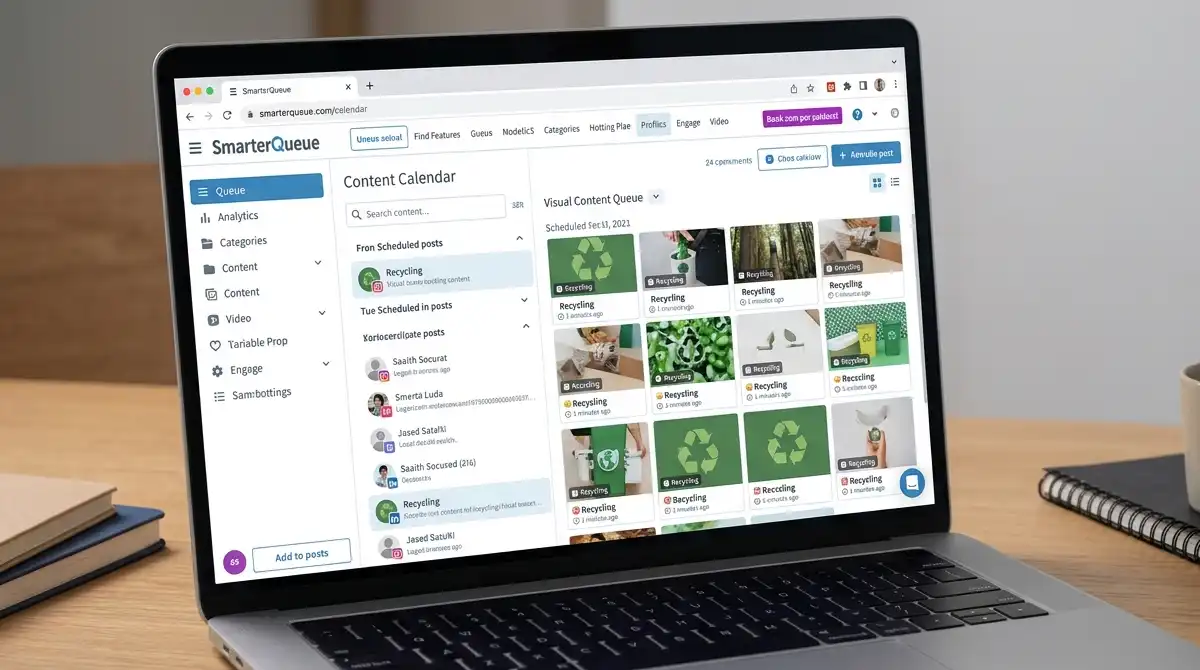
Most social media schedulers are calendars: you pick a date and time, attach a post, and it goes out. SmarterQueue is built on a different idea. You fill categories with content, define posting plans, and let a queue decide what goes out and when, then recycle your best posts automatically so the queue never runs dry. That one design choice explains almost everything about who the tool suits and who will find it frustrating.
This guide covers how SmarterQueue actually works, its main features, what it costs in 2026, and where it falls short. It also covers how it compares with calendar-first alternatives, so you can decide whether a queue is the right model for the way you post.
How We Evaluated This Guide
This guide is based on published reviews, comparison sites, and vendor information, not on a hands-on test of the tool. That matters in one respect: pricing and plan structure for SmarterQueue are reported inconsistently across sources, because the company appears to have changed its plan lineup recently. Where sources disagree, we say so and tell you what to verify on SmarterQueue’s own pricing page before you buy.
What SmarterQueue Is, in One Paragraph
SmarterQueue is a social media scheduling and management tool aimed at creators, entrepreneurs, small businesses, and agencies. Its core is automated scheduling powered by queues and posting plans, content categories, evergreen recycling, visual calendars, and content variations. It supports major networks including Facebook, Instagram, LinkedIn, TikTok, X, YouTube, and Threads, and it’s reviewed well, with 4.7 to 4.8 star ratings reported across review sites such as G2, Capterra, and Trustpilot.
The Core Idea: Queues Instead of a Fixed Calendar
In a calendar scheduler, every post needs a specific slot. If you want to post five times a week across several accounts, you assign each post to a date. When you skip a week of content creation, the calendar goes empty.
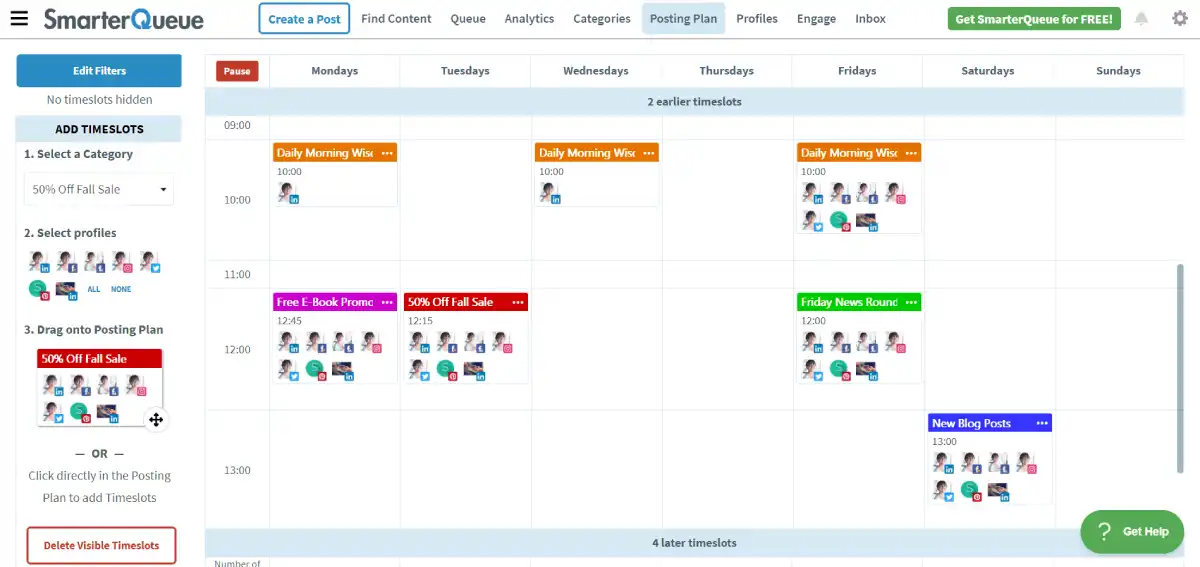
In a queue scheduler, you define when posting slots exist, such as weekday mornings on LinkedIn and evenings on Instagram, and then you load content into categories. The queue fills each slot from the relevant category automatically. If you run out of new content, evergreen recycling refills the slots from your archive of past posts.
Best for creators who struggle with consistency: a queue separates the thinking from the posting. You batch-create content when you have energy, and the schedule runs on its own between sessions. That matters because consistency is one of the strongest measured drivers of social reach. Buffer’s analysis of creator data found accounts posting in 20 or more weeks of a 26-week window earned roughly 450% more engagement per post than those posting sporadically.
The Features That Matter
Content categories and posting plans
Categories are the backbone of the tool. You might create categories for educational posts, promotions, behind-the-scenes content, and quotes, then set how often each category should appear. Posting plans decide which category fills which time slot, which keeps your feed balanced instead of accidentally promotional.
Reviewers consistently single out category-based scheduling as a strength, since it helps maintain a deliberate content mix without manually planning every day.
Evergreen recycling
Evergreen recycling is SmarterQueue’s signature feature. Posts you mark as evergreen return to the queue after a set interval, so strong content keeps working instead of disappearing into the timeline. Reviews describe it as ideal for reusing strong content without constant manual scheduling, with text and media variations available so a recycled post doesn’t look identical every time.
This pairs naturally with a repurposing strategy. If one piece of content can become several posts, recycling lets those posts keep circulating.
Post variations and AI captions
You can attach multiple text descriptions and images to a single post, so a recycled item rotates through different versions. Newer AI features help draft and rewrite captions and generate post ideas tailored to each platform and brand voice, and AI recommendations can help set up categories and posting plans. Treat AI output as a first draft: it speeds up writing but still needs your voice and a human edit.
Importing, RSS, and bulk workflows
SmarterQueue can import existing posts from your social accounts, pull in content from RSS feeds, and bulk-upload posts. That reduces the cold-start problem, since your best past posts can seed the evergreen library immediately.
Analytics
Analytics focus on understanding which content deserves repeating, which fits the recycling model: the tool surfaces what performed so you can mark winners as evergreen. Analytics depth depends on plan level.
Extras: first comments and competitor tracking
Users report being able to schedule first comments on Facebook and LinkedIn, which is useful for placing links or hashtags outside the main caption. One comparison also lists competitor tracking as a differentiator against calendar-first tools.
What It Costs in 2026
This is where sources disagree, so read this section carefully.
Older review sites list a Solo, Business, and Agency lineup at flat monthly prices of $29.99, $49.99, and $99.99, covering 4, 10, and 25 social profiles. A more recent comparison states SmarterQueue replaced that structure with a Pro and Team model plus a slider: Pro starts around $25 per month ($21 on annual billing) and Team around $50 per month ($42 on annual), with the base covering 5 social profiles and bundled users, and extra profiles and users added through the slider.

| Source type | Entry price | How plans are structured |
|---|---|---|
| Older review listings | $29.99/month flat | Solo, Business, Agency tiers by profile count |
| Recent comparison (2026) | ~$21/month annual, ~$25 monthly | Pro and Team, with a slider for profiles and users |
| One pricing aggregator (May 2026) | $16.99/month billed yearly | Not specified |
Given the spread, treat these as ranges and confirm on SmarterQueue’s own pricing page. Three details are consistent across sources: there’s no permanent free plan, a free trial is available (reported as 14 days with no credit card required), and pricing scales with the number of profiles, users, queued posts, and AI usage you configure.
Best for budget-conscious solo creators: start the free trial, load a real month of content, and see whether the queue model clicks before paying.
Who SmarterQueue Fits
It fits best when:
- You post often across several platforms and want a steady presence without daily manual scheduling.
- You have a library of evergreen content, such as tips, tutorials, quotes, and educational posts, that stays relevant over time.
- You want a content mix, not just a stream of whatever you wrote last.
- You’re a solo creator, coach, small business, or small agency that values efficiency over heavy approval workflows.
Who Should Look Elsewhere
It fits less well when:
- Your content is time-sensitive. News, launches, and event-based posts need fixed dates, and recycling doesn’t help them.
- You need collaboration and client approvals. Calendar-first tools like Planable are built around reviewing and approving posts with teammates or clients, which SmarterQueue is less focused on.
- You want a visual Instagram feed planner. One comparison notes SmarterQueue doesn’t offer a visual feed planner, while Planable does.
- You want a free tier. SmarterQueue has a trial but no permanent free plan, while some competitors do.
- You need a built-in social inbox, listening, or link-in-bio. One comparison lists Social Champ as offering these where SmarterQueue’s listing doesn’t, though another source says SmarterQueue includes a social inbox, so verify the current feature set.
A Practical Setup Walkthrough
- Connect your profiles and import your existing posts so the evergreen library starts with real content.
- Define 4 to 6 categories matching the kinds of posts you actually make.
- Set posting plans for each platform, choosing slots and the category mix for each.
- Mark your best past posts as evergreen and set sensible recycling intervals.
- Add variations to recycled posts so each repeat reads fresh.
- Review analytics monthly and promote winners to evergreen status.
Where This Guide Falls Short
A few honest limitations apply.
- No hands-on testing. Everything here is based on published reviews and vendor material, so interface details and recent changes may differ from what we’ve described.
- Pricing and plan structure are in flux. Sources show at least three different entry prices and two different plan structures, so confirm current pricing before budgeting.
- Recycling has limits. Reposting the same content repeatedly can feel repetitive to followers, and platform rules on duplicate content change, so check each network’s current policy and use variations.
- Ratings reflect self-selected reviewers. Strong scores on review sites are encouraging but come from users who chose and kept the tool.
The Bottom Line
SmarterQueue is a good fit for creators and small businesses that want a steady, balanced posting presence from a library of evergreen content, and its queue-and-recycling model is its real advantage over calendar-first schedulers. It’s a weaker fit for time-sensitive content, approval-heavy team workflows, and anyone who wants a permanent free plan. Test it on the free trial with a real month of content, confirm current pricing, and judge it on one question: does the queue save you time and keep you consistent?
FAQ
What is SmarterQueue used for?
It schedules and manages social media posts across platforms like Facebook, Instagram, LinkedIn, TikTok, X, YouTube, and Threads, using queues, content categories, and automated evergreen recycling.
Does SmarterQueue have a free plan?
No permanent free plan, but a free trial is available, reported as 14 days with no credit card required.
How much does SmarterQueue cost?
Sources disagree: recent comparisons list a Pro plan from about $21 per month on annual billing ($25 monthly) and Team from about $42 annual, while older listings show $29.99 flat. Confirm on SmarterQueue’s pricing page.
What is evergreen recycling?
It automatically returns your best-performing posts to the queue after a set interval, often with text and media variations, so strong content keeps circulating instead of disappearing.
Is SmarterQueue good for agencies and client approvals?
It supports agency use, but calendar-first tools like Planable focus more on collaboration and client approval workflows, so teams that rely on approvals may prefer those.