The Complete Guide to n8n in 2026
A complete guide to n8n in 2026 — pricing, AI Agent workflows, self-hosting, and how it actually compares to Zapier and Make.

Talal Emran
Web Developer & Designer
Published
11 min read
n8n has crossed 189,000 GitHub stars and now ships with 400 to 500+ integrations depending on which release you’re counting from, and it’s built its entire pricing model around a single idea most competing platforms don’t offer: you pay per workflow execution, not per individual step inside it. A ten-step workflow that runs 1,000 times costs 1,000 n8n executions — the same ten-step workflow on a per-task platform costs 10,000 billable actions. That single billing difference is why n8n has become the default recommendation for technical teams running complex, multi-step automations.
This guide covers what n8n actually is, how its pricing and self-hosting options really work, how its AI Agent system functions in practice, and who it genuinely fits versus who’s better served by a simpler no-code tool.
How We Evaluated This Guide
Pricing figures here reflect n8n’s current plan structure as of 2026, cross-checked across several independent breakdowns, since exact tier names and dollar amounts vary slightly depending on when a given source last verified them against n8n’s own pricing page. Feature claims are limited to what’s confirmed across multiple sources rather than any single vendor-adjacent write-up.
What n8n Actually Is
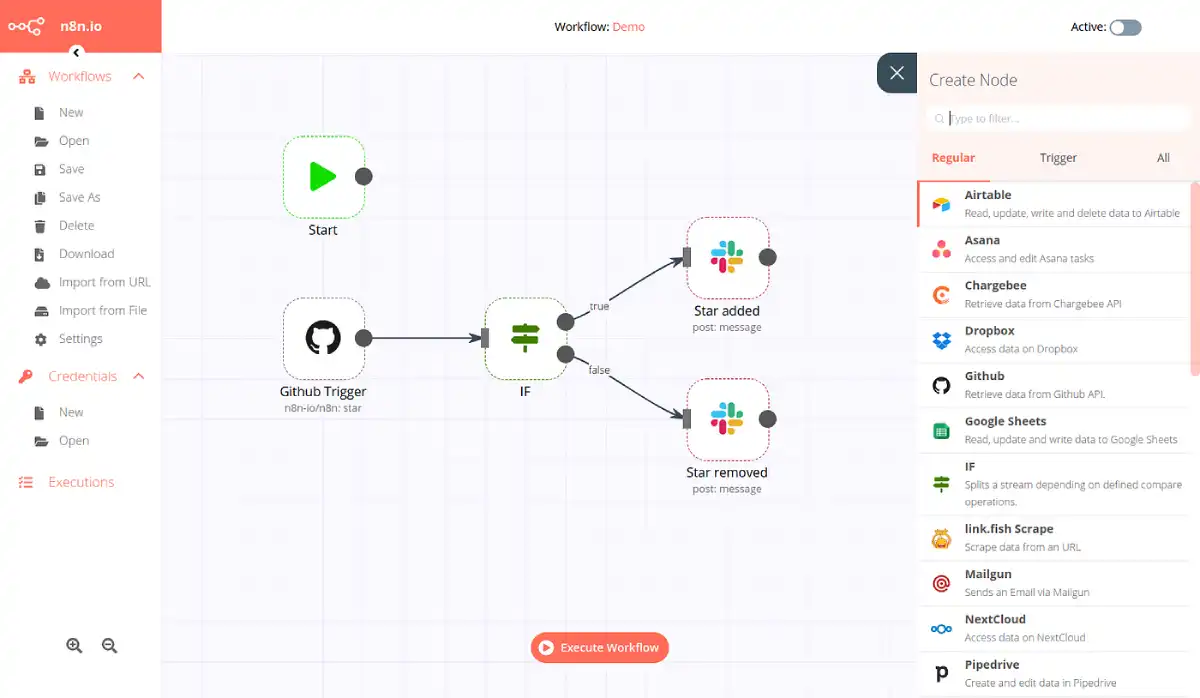
n8n is a source-available workflow automation platform that connects apps through a visual, node-based editor — similar in concept to Zapier or Make, but built from the ground up for technical teams who want the speed of no-code combined with the option to drop into real code when a visual node isn’t enough. Every workflow supports inline JavaScript or Python through a Code node, which accepts data from upstream steps, runs custom logic, and passes results forward — a level of control most no-code platforms don’t offer at all.
The platform is fair-code licensed under the Sustainable Use License, meaning the source is available to view, modify, and self-host, with commercial restrictions specifically around reselling it as a competing hosted service. That licensing model is central to why n8n has a genuinely different cost structure than its competitors: the Community Edition is free to self-host indefinitely, with no execution limits and no time expiry.
How n8n Pricing Actually Works
This is the area where n8n differs most fundamentally from Zapier and Make, and understanding the execution model is worth doing before looking at any specific dollar figure.
One execution equals one full run of your entire workflow, regardless of how many nodes it contains. A two-step workflow and a fifty-step workflow each consume exactly one execution per run. That’s the opposite of Zapier’s model, where every individual action inside a workflow counts separately — a ten-step Zapier automation running 1,000 times bills as 10,000 tasks, while the same workflow on n8n bills as 1,000 executions.
| Option | Approximate Cost | What You Get |
|---|---|---|
| Community Edition (self-hosted) | Free (plus $5–$20/month infrastructure) | Unlimited workflows and executions, full core feature set |
| Cloud Starter | ~$20–$24/month | Around 2,500 executions/month |
| Cloud Pro | ~$50/month | Higher execution ceiling, more AI credits |
| Self-hosted Business | ~$800/month (50% startup discount available) | Enterprise features without enterprise sales cycles |
| Enterprise | Custom quote | SSO/SAML, dedicated support, on-premises deployment |
Best for cost-sensitive technical teams running complex, multi-step workflows: self-hosted Community Edition, since it removes per-execution billing entirely — the only ongoing cost is infrastructure, typically $5–$20 a month for a small VPS, plus the engineering time to maintain it.
Best for teams that want managed hosting without infrastructure responsibility: Cloud Starter or Pro, which trade a monthly execution cap for zero server maintenance — a reasonable trade for teams without dedicated DevOps capacity.
A detail worth knowing before committing to a plan: self-hosting isn’t truly free once labor is factored in. The software costs nothing, but someone still has to provision, secure, and maintain that infrastructure — a real, recurring time cost that’s easy to underestimate when comparing sticker prices alone.
AI Agents: The Core of n8n’s AI Story
n8n’s AI Agent node is the centerpiece of its autonomous workflow capability, and it’s worth understanding as something genuinely distinct from a simple “call an LLM” step. It combines a language model, memory, a defined toolset, and a system prompt into a self-directing unit — you configure it once, and it decides what action to take next based on the tools and context available to it, rather than following a rigid, pre-defined path.
That architecture supports patterns most simpler automation platforms can’t replicate:
- Multi-agent systems, where specialized agents — one for research, one for writing, one for quality review — coordinate to complete a complex workflow together rather than a single agent handling everything.
- Deep research agents, capable of multi-step research with API access and persistent memory, returning structured findings rather than a single flat response.
- Human-in-the-loop guardrails, which let an agent pause and request approval before taking a consequential action, rather than executing autonomously with no checkpoint.
“n8n was the big unlock. Tools like ChatGPT and Claude are great, but n8n is the thing that allows you to integrate AI into your work and your processes in a safe and controlled way.” — Oliver Scheers, CTO, Huel
Best for teams building genuinely autonomous, tool-using AI workflows: n8n’s AI Agent builder, specifically because it operates on the same visual canvas as the rest of your automation rather than requiring a separate AI-specific product.
Understanding the AI Credit System
n8n separates two distinct AI-related costs, and conflating them is a common source of billing confusion. The AI Agent and LLM nodes you build into your own workflows are free at the platform level — you only pay your model provider (OpenAI, Anthropic, Google) directly for token usage, the same way you would calling their API outside of n8n entirely.
Separately, n8n’s AI Workflow Builder — the assistant that generates an entire workflow from a plain-language prompt — is metered through its own monthly AI credit allowance, bundled into cloud plans. Credit allowances have increased substantially through 2026 as the feature matured, and the self-hosted Community Edition does not include this managed AI builder credit system at all, since it depends on n8n’s own hosted infrastructure.
Best for teams wary of unpredictable AI costs: build workflows manually using AI Agent nodes rather than relying heavily on the AI Workflow Builder — your model provider costs stay transparent and directly tied to your own usage, rather than bundled into a separate, opaque credit system.
n8n vs. Zapier vs. Make: The Real Difference
The execution-based billing model is n8n’s single clearest competitive advantage, and it shows up most dramatically at scale. For complex, multi-step workflows run frequently, n8n can cost significantly less than Zapier’s per-task pricing — a difference commonly cited in the range of 10 to 20 times cheaper for the same workflow, purely because of how the two platforms count billable units.
That advantage isn’t universal, though. For simple, low-volume workflows — a single trigger, a couple of straightforward steps, run infrequently — Make’s per-operation pricing can actually work out cheaper than n8n’s execution model, since you’re not paying for infrastructure or a subscription tier sized for volume you’re not using.

Best for technical teams with complex, high-volume automation needs: n8n, where the execution-based model and self-hosting option combine to meaningfully undercut per-task competitors at real scale.
Best for non-technical teams or simple, low-volume workflows: Zapier or Make, both of which offer a gentler learning curve and don’t require the code-level comfort n8n’s advanced features assume.
Who n8n Genuinely Fits
n8n draws a clearer line between “right for you” and “not right for you” than most automation tools, mostly because of the technical comfort its advanced features assume.
- Engineering and ops teams needing code-level control, self-hosting on Docker or Kubernetes, and full data residency within their own infrastructure.
- Startups and technical founders building AI-native products or internal tools who want execution-based billing to stay predictable as usage scales.
- Organizations with compliance or data-residency requirements that rule out sending workflow data through a third-party cloud, since self-hosted n8n keeps everything inside your own environment.
- Teams already comfortable with JavaScript or Python who want the option to drop into custom code exactly where a visual node falls short, rather than working around a platform’s built-in limitations.
n8n is a noticeably weaker fit for non-technical teams that want the fastest possible path from zero to a working automation with no coding vocabulary at all — that’s still Zapier’s clearest strength, and pushing a fully non-technical team onto n8n’s more code-adjacent interface tends to create more friction than it saves.
Getting Started Without Committing to Infrastructure
You don’t need to provision a server to evaluate whether n8n fits your workflow. The Docker image can run locally on a development machine for testing — not publicly accessible, but with the full workflow engine operational — and n8n also offers a desktop app for zero-config local use. Starting there before committing to production infrastructure is the generally recommended path, since it lets you validate real workflows against your actual use case before spending anything on hosting.
Where This Guide Has Limits
A few honest caveats belong here, since n8n’s pricing and feature set have both shifted meaningfully within 2026 alone.
- Exact pricing isn’t consistently published or agreed upon across sources. Some breakdowns cite Starter at $20/month, others at $24/month, with genuine disagreement on exact tier boundaries — verify current numbers directly at n8n.io/pricing before budgeting around any figure in this guide.
- Self-hosting isn’t zero-cost once labor is counted. The infrastructure fee is small, but ongoing maintenance, security patching, and scaling work represent a real, recurring time investment that a pure dollar comparison against cloud plans understates.
- The technical bar is real, not a marketing caveat. Advanced features — custom HTTP nodes, AI agents with real guardrails, Docker/Kubernetes deployment — genuinely require developer familiarity, and non-technical teams will hit friction here that they wouldn’t on Zapier or Make.
- AI credit allowances and node capabilities are still evolving. n8n’s AI feature set has expanded substantially through 2026, and treating any specific capability or credit allowance as permanent risks being outdated within months.
The Bottom Line
n8n earns its reputation as the strongest choice for technical teams that need real workflow complexity, genuine AI agent capability, and control over where their data runs — its execution-based billing and self-hosting option can meaningfully undercut per-task platforms at scale, provided your team has the technical comfort its advanced features assume. For non-technical teams or simple, low-volume automations, Zapier or Make remain the gentler, faster starting point. The right choice comes down to whether your bottleneck is cost and control at scale, or ease of use for a team without developer resources behind it.
FAQ
Is n8n really free to use?
The self-hosted Community Edition is free indefinitely with no execution limits, though you’ll still pay for the server infrastructure it runs on — typically $5–$20 a month for a small VPS — plus your own time for setup and maintenance.
How is n8n’s pricing different from Zapier’s?
n8n charges per full workflow execution regardless of how many steps it contains, while Zapier charges per individual action inside a workflow — a difference that makes n8n significantly cheaper for complex, multi-step automations run at real volume.
Do I need to know how to code to use n8n?
Not for basic workflows, since the visual editor covers many use cases without code, but advanced features like custom HTTP nodes, inline JavaScript/Python logic, and full AI agent configuration do require real developer familiarity.
How much do n8n’s AI features actually cost?
AI Agent and LLM nodes you build into your own workflows are free at the platform level — you pay your model provider directly for token usage — while the separate AI Workflow Builder assistant runs on its own metered credit system bundled into cloud plans.
Should I choose n8n or Zapier for a simple, low-volume automation?
For simple, infrequent workflows, Zapier or Make’s per-operation pricing can actually be cheaper and easier to set up than n8n, whose execution-based model and technical interface pay off most clearly at real scale and complexity.