Is Motion Worth the Price Over Reclaim?
Is Motion worth the price over cheaper AI schedulers like Reclaim in 2026? A direct comparison of cost, control, and who each tool actually fits.

Talal Emran
Web Developer & Designer
Published
9 min read

A solo user on annual billing pays $348 a year for Motion versus $68 a year for Reclaim’s Starter plan — a $280 gap for tools that, on the surface, both promise the same thing: let AI manage your calendar so you stop doing it manually. That price difference alone is enough to make most people ask whether Motion’s premium is actually justified, or whether Reclaim quietly does the same job for a fraction of the cost.
The honest answer isn’t a simple yes or no — it depends on how much control you’re willing to give up. This article breaks down what that $280 a year actually buys, where Reclaim genuinely matches or beats Motion despite the price gap, and which type of user each tool is actually built for.
How We Evaluated This Comparison
We prioritized direct, current 2026 comparisons and cross-referenced pricing across multiple independent sources, since figures for both tools shift by billing cycle and plan tier. We also weighted real user experience reports — including documented friction, not just feature checklists — since a scheduling tool’s actual day-to-day behavior matters more here than a spec sheet comparison would suggest.
The Fundamental Philosophy Difference
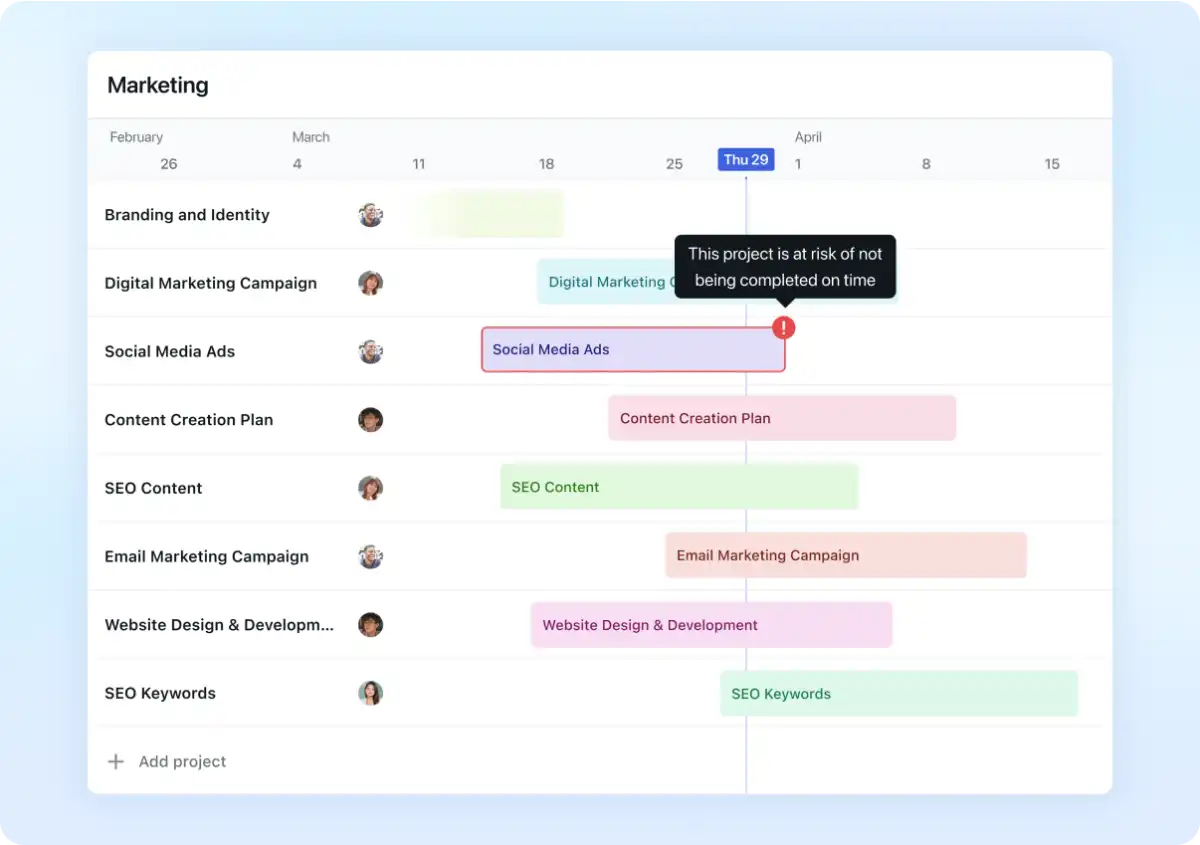
Before the pricing table, the actual distinction worth understanding: with Motion, you surrender scheduling judgment to the AI. You add tasks, set priorities and deadlines, and let Motion decide when to do them — powerful if you trust the AI fully, but it requires accepting that it may schedule tasks at times that feel wrong to you, and can produce chaotic results when too many high-priority tasks compete for the same slots.
With Reclaim, you keep scheduling control. You decide what to work on and when; Reclaim’s job is making sure the calendar defends the time you need for it, rather than deciding your priorities for you. That’s a fundamentally gentler form of AI assistance — suggestion and protection rather than full delegation.
One especially candid independent review put it starkly after a 30-day head-to-head test: watching a task list shuffle like a deck of cards every time someone booked a 30-minute call produced what the reviewer called “AI Calendar Anxiety” — a real, documented friction point specific to Motion’s aggressive rescheduling behavior. Reclaim, by contrast, quietly blocks time and protects it from meeting overrides without touching anything else.
The Real Pricing Breakdown
Pricing for both tools has genuinely become less transparent through 2026, with sources reporting slightly different numbers depending on billing cycle and exactly which tier is being compared. Here’s the range across current sources:
| Plan | Motion | Reclaim |
|---|---|---|
| Free tier | None | Yes — free forever (Lite plan) |
| Entry paid tier | $19–$39/month (individual, varies by source) | $8–$10/month (Starter) |
| Team/business tier | $19–$29/seat/month | $12/user/month (Business) |
| Annual solo cost | ~$348/year | ~$68–$120/year |
| Free trial | 7 days, credit card required | 14 days, no credit card required |
| AI credit system | Monthly allowance (7,500–15,000 credits/seat), metered overage | Not credit-metered |
The most consequential structural difference: Motion has no permanent free plan at all, while Reclaim rolls users directly into a free-forever tier after their trial ends. That alone makes Reclaim the default lower-risk choice for anyone who isn’t already certain they want full automation.
Best for absolute lowest cost with real functionality: Reclaim, whose free tier already includes genuine AI scheduling — not just a stripped-down trial — making it usable indefinitely without ever paying.
What Motion Actually Adds for the Premium
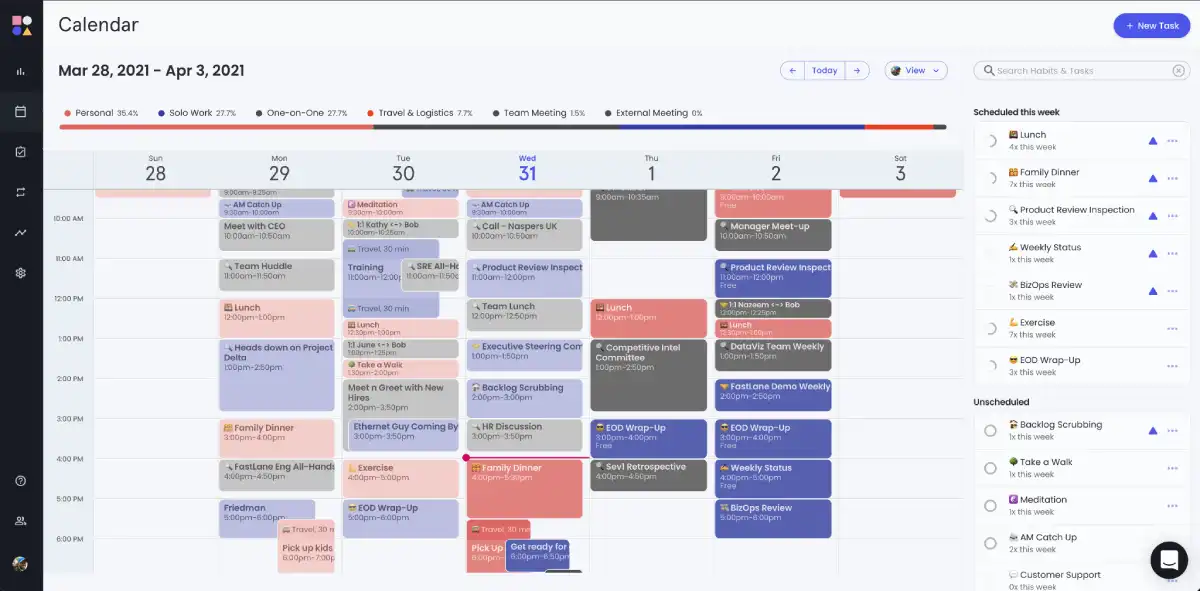
Motion’s price isn’t purely markup — it bundles real project management capability that Reclaim doesn’t attempt to replicate. Motion includes boards, timelines, and AI-driven task distribution across a team, positioning it as a genuine alternative to dedicated PM tools like Asana or Monday, not just a smarter calendar layered on top of one.
That combination matters specifically for teams managing complex, interdependent projects who want a single AI-driven system rather than stitching together a separate calendar tool and project manager. For that specific use case, Motion’s premium is arguably replacing an entire second subscription, not just charging more for the same calendar functionality Reclaim offers.
“Motion earns its premium price for a specific type of professional — someone managing genuinely complex project portfolios who needs AI to handle scheduling decisions at a depth that Reclaim doesn’t attempt.” — Calmevo, 2026 Motion vs Reclaim analysis
One blunter framing from an independent review worth including directly: the $19-a-month individual price only makes sense if you’re killing at least one other PM subscription to pay for it. For the large majority of individual users, that reviewer’s own assessment put Reclaim as the better fit.
Best for teams already paying for a separate PM tool they could consolidate: Motion, where the premium may functionally replace a second subscription rather than adding pure cost on top of your existing stack.
What Reclaim Offers That Motion Doesn’t
Beyond the obvious price advantage, Reclaim has genuine feature strengths that aren’t just a cheaper, watered-down version of Motion’s capability.
Habit scheduling is a standout, Motion-less feature. Reclaim lets you set recurring flexible blocks — exercise, lunch, deep work, learning — that automatically find time around meetings and reflow when conflicts arise, always landing a new slot rather than simply vanishing. Motion has no direct equivalent to this.
Built-in scheduling links. Reclaim includes Calendly-style scheduling links and smart 1:1 meeting management that automatically finds optimal recurring meeting times, folding a separate tool’s functionality into the same subscription.
It works inside your existing calendar, not a separate app. Reclaim operates as a layer on top of Google Calendar or Outlook rather than asking you to centralize inside a new interface — a meaningfully lower switching cost for anyone who doesn’t want to relearn their primary work tool.
Best for anyone who wants to keep Google Calendar as their actual interface: Reclaim, since Motion effectively asks you to move your daily scheduling workflow into its own app rather than enhancing the calendar you already use.

Where Motion Genuinely Wins
To be fair to Motion, the premium isn’t purely inferior value dressed up with a PM feature nobody asked for — there are real scenarios where its more aggressive automation is the actual point, not a downside.
- Deadline-driven work with frequent, unpredictable task additions benefits from Motion’s willingness to fully reshuffle a schedule automatically, rather than requiring manual intervention every time priorities shift.
- Teams needing AI-driven task distribution across multiple people, not just individual scheduling, is a capability Reclaim doesn’t attempt to match.
- Users who genuinely dislike making scheduling decisions and want to fully hand that cognitive load to an AI, accepting some unpredictability in exchange for never having to plan a day manually.
Best for users who want zero scheduling decisions left in their own hands: Motion, provided you’re comfortable with its more assertive, sometimes disruptive rescheduling behavior as the cost of that full automation.
The Verdict: Is the Premium Worth It?
For most individual users, no — the evidence across nearly every independent comparison points the same direction. Reclaim offers genuine AI scheduling, habit protection, and meeting automation at roughly a sixth to a quarter of Motion’s cost, with a permanent free tier removing any real financial risk in trying it. The “AI Calendar Anxiety” documented in direct testing is a real, specific cost of Motion’s more aggressive automation model, not just a stylistic preference.
For a narrower group — teams managing genuinely complex, interdependent projects who would otherwise be paying for a separate PM tool anyway — Motion’s premium becomes far more defensible, since it’s arguably consolidating two subscriptions into one rather than charging extra for the same core function Reclaim provides more cheaply.
Where This Comparison Falls Short
A few honest limitations belong here, since pricing and reviews in this specific niche shift often.
- Exact pricing varies meaningfully across sources. Motion’s individual tier is reported anywhere from $19 to $39/month depending on the source and billing cycle — verify current pricing directly on each platform before budgeting around any figure here.
- User experience with Motion’s automation is genuinely polarizing. Some users report real frustration with its rescheduling behavior, while others specifically want and value that level of automated control — this is a fit question, not a universal flaw.
- Some users run both tools simultaneously. A number of reviewers note that combining Motion for auto-scheduling with Reclaim for habit and focus-time protection captures strengths from each, at the cost of managing two subscriptions.
- Neither tool solves task capture. Both Motion and Reclaim organize tasks already in your system — neither addresses tasks buried in email, meeting notes, or Slack messages, which still require manual extraction regardless of which scheduler you choose.
The Bottom Line
Motion’s premium over Reclaim buys full AI delegation and real project management capability, but that combination is worth paying for specifically if you’re managing complex, multi-person projects or would otherwise be paying for a separate PM tool anyway. For the much larger group of individual users who mainly want their calendar defended and their focus time protected without surrendering full scheduling control, Reclaim delivers most of the same practical value at a fraction of the cost, with a real free tier removing the risk of trying it first.
FAQ
Is Reclaim really free, or is that just a limited trial?
Reclaim’s Lite plan is genuinely free forever for individual users, not just a time-limited trial — it includes real AI scheduling functionality, unlike Motion, which offers only a 7-day trial with no permanent free option.
Why would anyone pay $348 a year for Motion when Reclaim costs a fraction of that?
Motion bundles genuine project management capability — boards, timelines, AI task distribution across a team — that can functionally replace a separate PM subscription, making its premium more defensible for teams managing complex, interdependent projects than for individual users.
What is “AI Calendar Anxiety” and does it actually happen with Motion?
It’s a term used by at least one independent 30-day review to describe the stress of Motion’s schedule reshuffling every time a new meeting or task is added — a documented, real friction point tied to Motion’s more aggressive automation style, not a universal experience for every user.
Can I use Motion and Reclaim together?
Yes, and some users do specifically to combine Motion’s auto-scheduling strength with Reclaim’s habit and focus-time protection — the trade-off is managing and paying for two separate subscriptions instead of one.
Which tool is better for someone who wants to keep using Google Calendar as their main interface?
Reclaim, since it operates as a layer on top of Google Calendar or Outlook rather than asking users to shift their daily workflow into a separate app the way Motion does.