SEO for E-Commerce: Rank Your Products Without Ads
SEO for e-commerce: how to rank your products without ads in 2026. Free Google listings, category pages, faceted navigation, and product page fixes.

Talal Emran
Web Developer & Designer
Published
10 min read
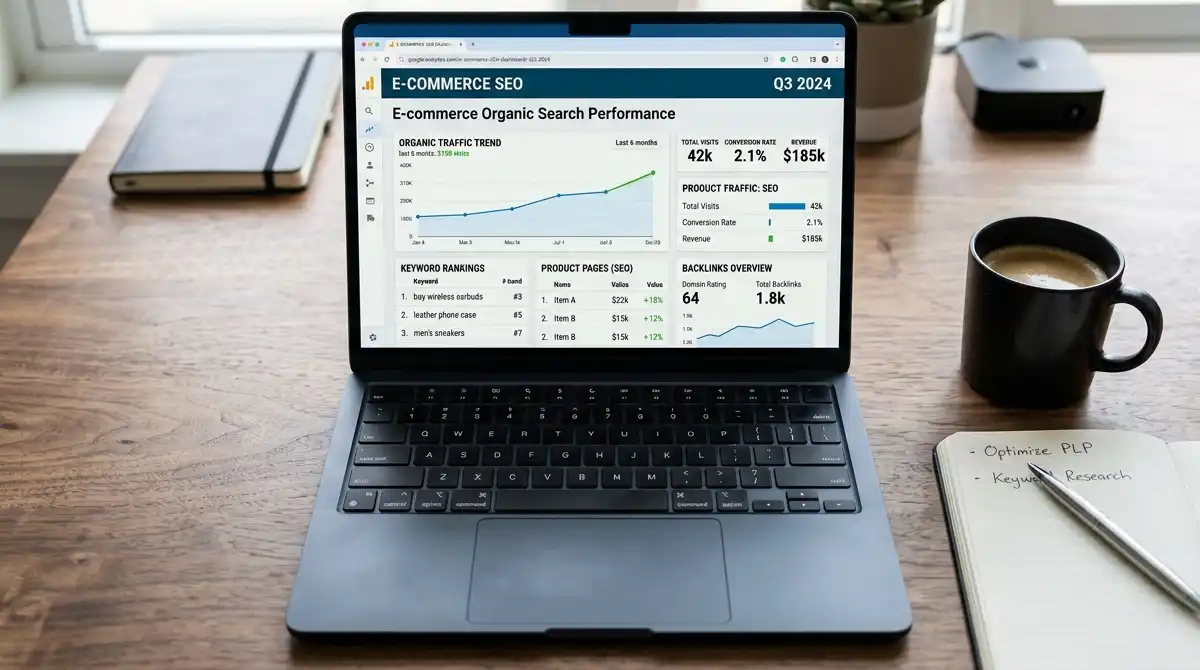
Organic search converts at about 2.93% for e-commerce, the highest rate of any traffic source according to GoInflow data cited in a 2026 guide, and it generates roughly 23.6% of online orders. Yet most stores put their budget into ads and leave search to chance. The reason is understandable: ads are fast and SEO is slow. But a store that ranks doesn’t pay per click, and the traffic compounds.
This guide covers how to rank an online store’s products without ad spend, focusing on the highest-leverage moves in order: free Google Shopping listings, category pages, faceted navigation, product page content, internal linking, and measurement. One caveat belongs up front. “Without spending on ads” isn’t the same as “free.” SEO costs time and, often, content and tools, and results take months. It’s cheaper over time, not instant.
How We Evaluated This Guide
Figures come from 2026 e-commerce SEO guides, many from agencies and platforms with a commercial interest in selling SEO or software. Statistics also conflict: one source says organic search drives 33% of e-commerce traffic and another says 43%. We note conflicts, use ranges where needed, and flag claims whose origin we couldn’t verify, such as the often-repeated “category pages earn 3 to 5 times more organic revenue than product pages.”
Why Organic Is Worth the Effort
A few numbers explain why stores invest in search, with the caution that sources differ.
| Metric | Reported figure | Note |
|---|---|---|
| Share of e-commerce traffic from organic search | 33% to 43% | Sources disagree |
| Organic conversion rate | 2.93% | GoInflow, via a 2026 guide |
| Share of online orders from organic | 23.6% | Charle Agency, via a 2026 guide |
| US online shoppers who search Google before buying | 68% | Same guide |
One BigCommerce case study reports a battery retailer getting 77% of sales from organic traffic, which shows the upside but is a vendor-selected success story, not a typical result.
Search is also changing. One 2026 guide says AI Overviews appear on about 14% of shopping queries, and other sources predict more zero-click searches. That makes the structured, specific content described below useful for both classic search and AI-driven discovery.
Step One: Get Free Product Listings Through Google Merchant Center
The fastest way to appear in Google’s shopping results without ads is a feed in Google Merchant Center. Merchant Center is best known for powering Shopping ads, but it also powers free product listings across Google surfaces, and one guide calls free listings one of the highest-leverage SEO wins for most e-commerce sites because they put products in front of shoppers already in buying mode.
For a brand-new store, the same guide lists the highest-leverage tasks as building trust signals (Google Business Profile, Trustpilot, real customer reviews), getting your product feed into Merchant Center, writing 200 to 400 words of unique copy on each top category page, and adding Product schema to every product page.
Feed quality drives eligibility, so treat it as an SEO asset:
- Accurate titles, prices, and availability that match your site exactly.
- Quality images. One guide cites a minimum of 50,000 pixels for merchant listings and says compressed AVIF or WebP images under 200 KB can shave one to two seconds off mobile load time.
- Complete identifiers and attributes, such as GTINs, brand, and category.
Best for stores with no ad budget: submit your feed first, since it costs nothing and puts products in a high-intent surface while your organic pages mature.
Step Two: Win on Category Pages, Not Just Product Pages
Many stores optimize individual product pages and neglect the pages that rank for broad, high-volume commercial searches. Category pages, also called collection or product listing pages, usually capture those searches because shoppers search for groups of products before specific items. Ahrefs research cited in one guide found category and subcategory pages drive more organic traffic than product pages across nearly every retail vertical.
Treat the often-quoted multiple with caution. Several guides say well-optimized category pages generate 3 to 5 times more organic revenue than product pages, but the origin of that figure isn’t clear across the sources repeating it, so use it as direction, not a benchmark.
What makes a category page rank:
- A clear target query, such as “women’s running shoes,” in the title and heading.
- 200 to 400 words of unique, helpful copy, covering how to choose, key differences, and sizing or compatibility, rather than a bare product grid.
- Clean internal links to subcategories and top products.
- Filters that help users without creating thousands of crawlable duplicates, which is the next step.
“Ecommerce SEO is won on category pages, not product pages.” — Darkroom Agency, 2026 category page ranking playbook
Best for stores deciding where to spend limited time: rewrite your top five to ten category pages before touching hundreds of product pages.
Step Three: Control Faceted Navigation
Faceted navigation is the set of filters for size, color, price, and brand. It’s essential for shoppers and a common source of SEO trouble, because a few thousand products can generate millions of filter URLs, most of them near-duplicates.
The risk is wasted crawl budget. One 2026 guide says unchecked facets can consume 40% or more of a site’s crawl budget, and another says faceted navigation accounts for about half of Google crawl issues. These numbers come from agency sources, so treat them as directional, but the problem is widely documented.
Practical controls include:
- Decide which filter combinations deserve to rank. A filter that matches real search demand, such as “red running shoes,” may merit an indexable page, while arbitrary combinations don’t.
- Use canonical tags to consolidate duplicate variations onto the main category page.
- Noindex or block low-value combinations so crawlers spend time on pages that convert.
- Audit your URL set to see how many filter URLs exist compared with real products.
A Search Engine Journal data point cited by one agency says disciplined facet control produced measurable crawl and category ranking improvements within 60 to 90 days, which also shows the timescale you should expect.
Step Four: Make Product Pages Unique and Complete
Product pages matter most for specific, long-tail searches and for shopping surfaces. The most common weakness is manufacturer copy: when hundreds of stores use the same description, nothing distinguishes yours.
- Write unique descriptions with specifics buyers want, such as dimensions, materials, fit, use cases, and honest tradeoffs.
- Add Product schema with price, availability, and review data so search engines can display rich results. Our earlier guide on getting recommended by AI covers the structured data fields in detail.
- Show real reviews. Reviews add unique text, trust, and rich result eligibility.
- Optimize images with descriptive file names and alt text, and compress them for speed.
- Answer pre-purchase questions with a short FAQ on the page.
A conversion note from one guide is worth remembering: a product page converting at 4% from organic traffic produces about 33% more revenue per visitor than one converting at 3% with the same rankings, so SEO and conversion work compound.
Step Five: Use Internal Linking to Spread Authority
Internal links tell search engines which pages matter and pass authority from strong pages to weaker ones. In e-commerce, the standard pattern is category pages linking down to products and subcategories, and products linking back up and across to related items.

One priority action list recommends identifying orphaned product and category pages with zero internal links. These are pages search engines struggle to discover and rank. A simple audit using a crawler or Search Console can find them, and linking them from relevant categories, guides, or related-product blocks is a quick win.
Best for large catalogs: make sure every product is reachable from a category page within a few clicks and that top categories are linked from the homepage or main navigation.
Step Six: Build Authority With Content and Links
A store’s category pages usually can’t earn links on their own, since few people link to a product grid. Content gives you something linkable: buying guides, comparison pages, size guides, and original research. Guides that link to relevant category and product pages transfer link equity to them, which one source calls one of the highest-ROI e-commerce SEO tactics.
Trust signals also help. Maintain a Google Business Profile if you have a physical presence, collect genuine reviews on third-party platforms, and make sure policies, contact information, and shipping details are easy to find.
Be selective about effort. Link building and content are slow, so tie each guide to a category you want to rank, instead of publishing generic blog posts.
Step Seven: Handle Out-of-Stock and Discontinued Products Carefully
Product churn can quietly waste ranking equity. As general practice, not tied to a specific study: keep temporarily out-of-stock pages live with clear availability messaging, and when a product is permanently discontinued, redirect it to the closest relevant product or category instead of letting it return an error. Check your platform’s guidance for specifics, since the right approach depends on whether a product will return.
Step Eight: Measure Organic Revenue, Not Just Traffic
Connect SEO to sales. Recommended tracking includes a GA4 segment for organic e-commerce traffic, Search Console queries and page performance, organic revenue by category, and technical errors, reviewed monthly. Revenue by category shows which pages deserve more investment, and queries show what to build next.
Set realistic timing. Technical fixes like facet control can show effects in 60 to 90 days according to one source, while rankings from new content typically take longer.
Where This Guide Falls Short
A few honest limitations apply.
- Sources conflict and many are interested parties. Organic share of traffic ranges from 33% to 43% across sources, and most data comes from agencies and platforms that sell SEO services or software.
- Some famous numbers are unverified. The “category pages earn 3 to 5 times more” multiple and the crawl-budget percentages lack clear original sources, so treat them as directional.
- SEO isn’t free. It saves ad spend but costs time, content, and sometimes tools, and results take months.
- Competition is real. Marketplaces like Amazon dominate many product searches, so niche focus and category depth matter more for smaller stores.
- Search is shifting. AI answers and zero-click results change how much traffic any ranking delivers, so measure revenue, not just rankings.
The Bottom Line
Ranking products without ads comes down to doing a handful of things in the right order. Submit your feed for free Google listings, build out category pages that match broad buyer searches, control faceted navigation so crawlers focus on pages that matter, make product pages unique and complete, strengthen internal links, support it all with linkable content and genuine reviews, and measure organic revenue by category. It’s slower than buying clicks, but the traffic you earn keeps arriving without a per-click bill.
FAQ
Can I rank an online store without ads?
Yes, through free Google Merchant Center product listings and organic search optimization, though it takes months and requires time and content investment.
Should I optimize category pages or product pages first?
Category pages first. They rank for broader, higher-volume commercial searches, and several guides report they produce more organic traffic than product pages.
What is faceted navigation and why does it hurt SEO?
It’s the filter system on category pages. A few thousand products can generate millions of near-duplicate filter URLs, which waste crawl budget unless you canonicalize, noindex, or block low-value combinations.
How long does e-commerce SEO take?
Technical fixes can show effects in roughly 60 to 90 days according to one source, while rankings from new content usually take longer, so judge progress over months.
Are Google Shopping free listings really free?
Yes. Products from an approved Merchant Center feed can appear in free listings across Google surfaces without ad spend, provided your feed data is accurate and complete.